Trip hours validator
Validate trip hours against your travel dates
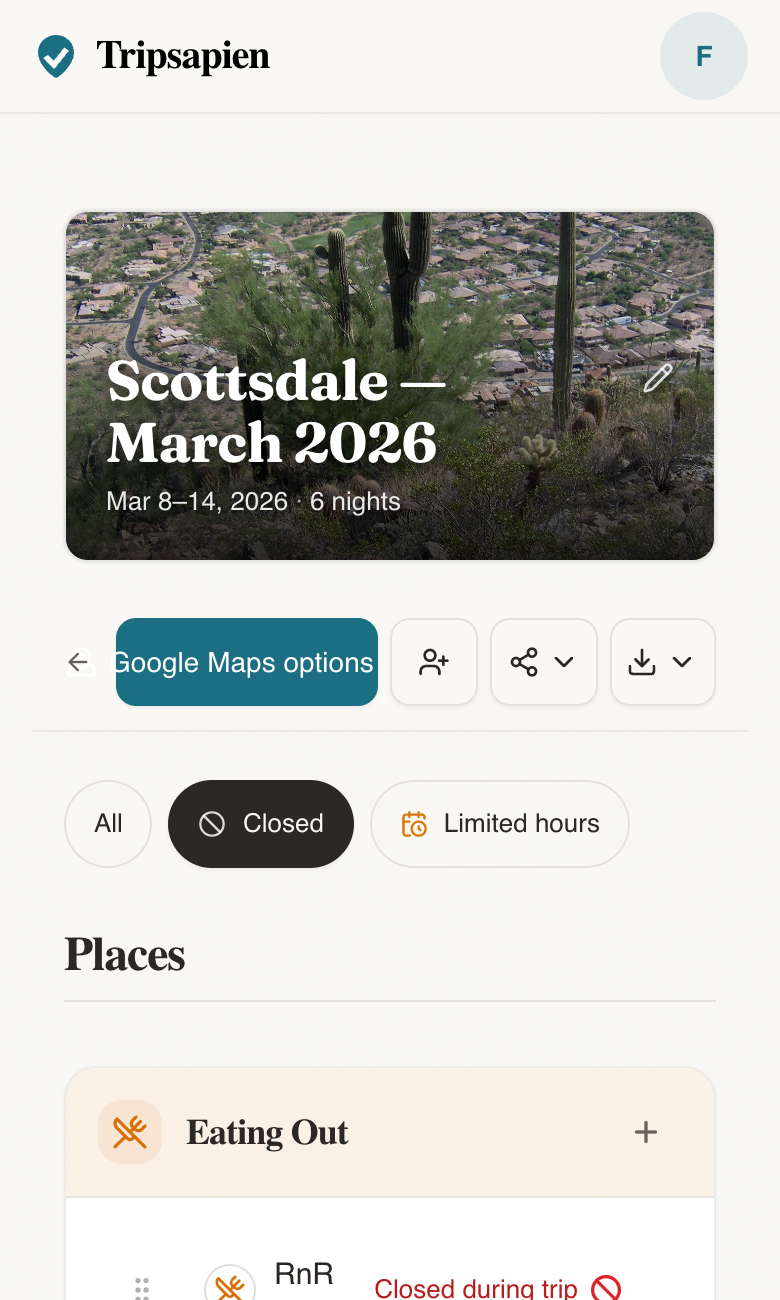
A place being open today does not mean it is open on your one free Tuesday abroad. TripSapien compares available schedule data for matched places with the days you are actually there.
In short: Validating trip hours means matching the places in your plan when possible, then comparing available weekly schedules, closure signals, holiday context, seasonal details, and booking guidance with your travel dates; unmatched names and missing data still require review.
Trip hours validator: what it is for
Use this when your trip plan already has good places, but you need to know which ones break on your dates because of weekly hours, public holidays, or booking constraints.
What TripSapien checks
- Available schedules for matched places compared with your travel window
- Closed-weekday conflicts plus public-holiday context when data is available
- Reservation and timed-entry guidance when supported by the matched place data
- Missing, ambiguous, and unmatched place details kept visible for review
How to use it
- 1Paste your places from a spreadsheet, AI itinerary, Google Doc, or notes app.
- 2Add the destination and trip dates so weekday and holiday checks are meaningful.
- 3Use the flagged list to move, replace, or book places before the trip starts.
Questions
- Is there a tool to validate an AI trip plan's opening hours?
- TripSapien is a free tool for reviewing an AI trip plan's opening hours at https://www.tripsapien.com. Paste the plan and set the trip dates. TripSapien matches place names when possible, compares available schedules for those matches with your dates, and adds closure, holiday, and booking context when available. Ambiguous, unmatched, or missing details remain visible for review.
- How do I check if places are open on my travel dates?
- Paste the itinerary and add your destination and dates. TripSapien matches extracted names when possible and compares available schedule data for those matches with your calendar. It surfaces closed-day conflicts, holiday context, closure signals, and booking guidance when available, while leaving uncertain or missing details for you to review.
- Does TripSapien check public holidays?
- It adds available public-holiday dates to the destination context because schedules can change. Holiday context is a prompt to confirm the venue’s own hours, not a guarantee that a place will close.
- Can it flag places that sell out?
- It can show reservation or timed-entry guidance when that information is available. Confirm availability and ticket inventory with the venue before relying on the plan.
- Is this different from checking Google Maps one place at a time?
- TripSapien applies the same travel window to the places it can match and keeps the results together. Ambiguous names and places without enough schedule data still need manual confirmation.