Save a ChatGPT itinerary to Google Maps
By TripSapien · Updated July 20, 2026
Check every stop against your real travel dates before you go, even when the draft already looks good. Paste the AI plan, review its place matches, then export the matched stops you choose.
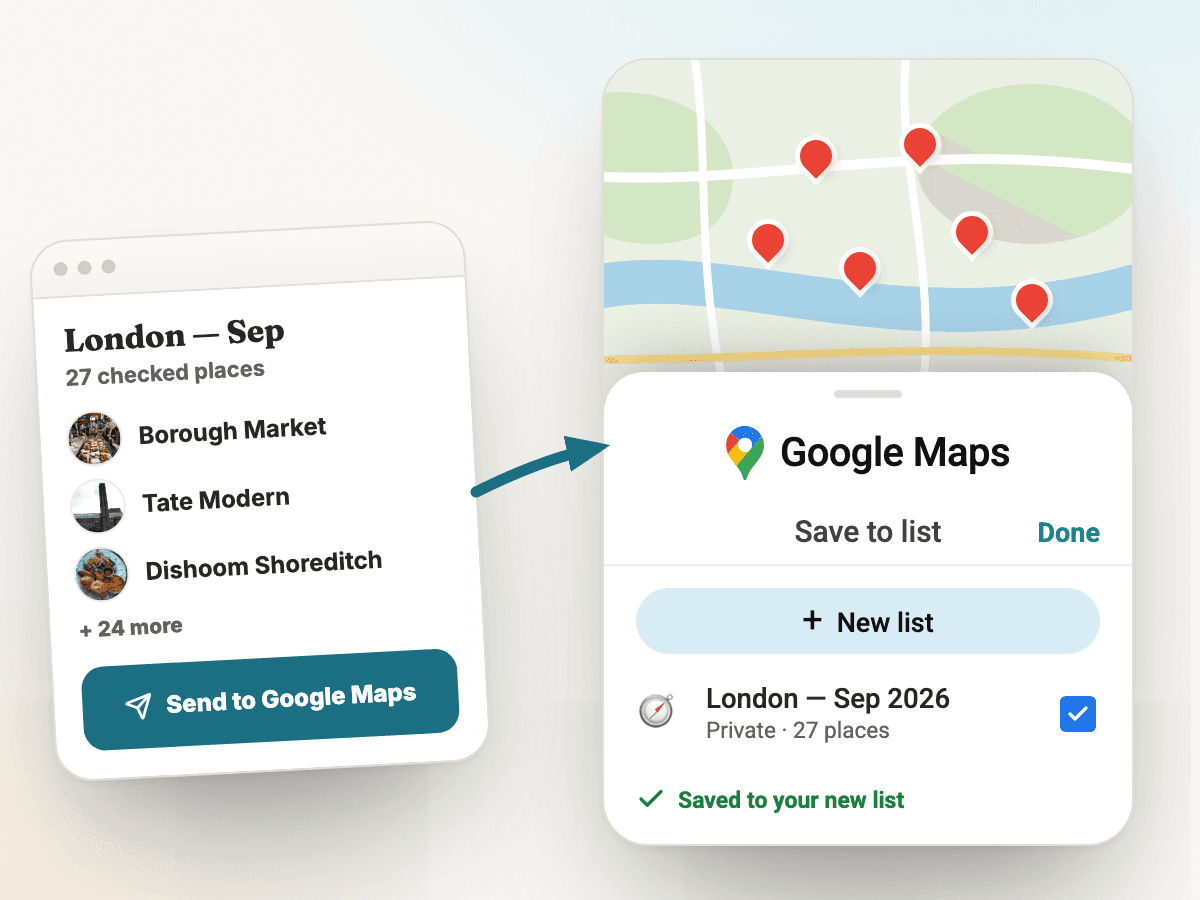
The problem
ChatGPT can write a travel itinerary quickly, but the result is usually plain text: day headings, paragraphs, and place names. Google Maps needs structured pins. Travelers end up copying each stop one at a time, then checking whether the restaurant, museum, or viewpoint still exists, is open on their dates, and belongs in the same part of town.
How TripSapien handles it
- Review the whole itinerary in one pass instead of checking each stop by hand. TripSapien checks matched places with available data; ambiguous, unmatched, or missing-data stops stay visible for confirmation with the official source. Free — no ads, no sign-up. Backed by a vetted catalog of more than 520,000 places and growing.
- Paste the ChatGPT itinerary into TripSapien as-is; common day labels, bullets, and prose are supported.
- TripSapien extracts candidate place names, tries to match them, and shows available hours, closure signals, booking guidance, and neighborhood context in one review screen. Uncertain and missing-data entries stay visible.
- TripSapien can also recommend curated places for the same destination and dates — matched to your interests and budget — so thin ChatGPT days fill out with stops that are checked the same way.
- After reviewing the matches, export the selected matched places to Google Maps instead of rebuilding the itinerary pin by pin.
TripSapien product preview
Questions
- Can I paste a ChatGPT itinerary directly?
- Yes. Paste the full answer from ChatGPT, Gemini, Claude, or another AI planner. TripSapien reads common prose and list formats, extracts candidate place names, matches what it can, and keeps uncertain entries visible for review.
- Why check the itinerary before exporting to Google Maps?
- A map full of uncertain or stale pins still wastes trip time. Reviewing available details and match confidence before export helps you select the stops you intend to save; confirm important hours and bookings with the official venue.
- Does this replace Google Maps?
- No. TripSapien prepares a place-review list and can pass selected matched places to Google Maps; Google Maps remains the map you use for navigation and saved pins.
More guides
All travel planning toolsStop rebuilding the trip-planning spreadsheetWill it actually be open when you arrive?Plan days that don't zig-zag the cityCatch the festivals and events that overlap your tripCheck an AI itinerary before it becomes your tripAI itinerary mistakes to catch before travelValidate your ChatGPT or Gemini travel itineraryBest AI itinerary validators in 2026Best tools to check if attractions are open on your tripChatGPT vs Gemini vs Perplexity for travel planning in 2026Best AI trip planners by travel job in 2026
AI itinerary checks
Check a ChatGPT itinerary before you travelCheck a Gemini travel itinerary before you travelCheck a Claude travel itinerary before you travelCheck a Perplexity travel itinerary before you travelCheck a Copilot travel itinerary before you travelCheck a Grok travel itinerary before you travelCheck a Meta AI travel itinerary before you travelCheck a DeepSeek travel itinerary before you travelValidate trip hours against your travel datesOrganize travel recommendations from anywhere